I made some updates to the NetSID project. You can download the full ISE project from https://baker76.com/download/fpga/netsid.zip
There are now two ISE project files NetSID_pipistrello.xise and NetSID_papilio.xise which have the appropriate ucf and clock files. These support the Pipistrello and Papilio FPGA development boards respectively.
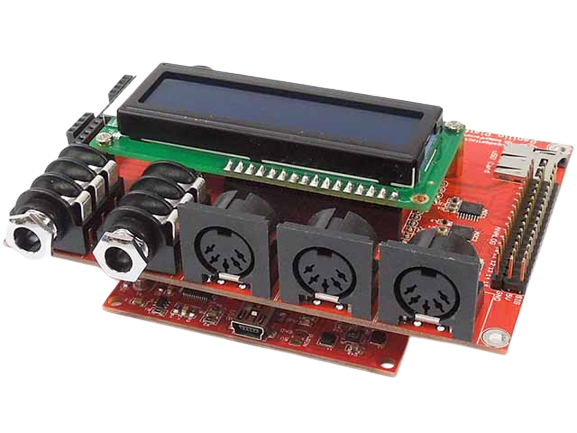
Here is a list of the main changes:
- It now has the latest SID vhdl (with filters) from https://github.com/MEGA65/mega65-core/tree/master/src/vhdl
- sid_6581.vhd
- sid_coeffs.vhd
- sid_components.vhd
- sid_filters.vhd
- sid_voice.vhd
- Added an audio mixer from https://github.com/GadgetFactory/ZPUino-HDL/tree/master/zpu/hdl/zpuino/contrib
- simple_sigmadelta.vhd
- zpuino_audiomixer.vhd
- Added the latest async.v from https://www.fpga4fun.com/files/async.zip which contains the latest versions of async_transmitter and async_receiver
- Added 2SID and 3SID support
- There is a demo song included called Earmind_3SID.sid
- Reading the documentation for the Network SID Device Protocol (https://sourceforge.net/p/jsidplay2/code/HEAD/tree/trunk/jsidplay2/src/main/asciidoc/netsiddev.adoc) the TRY_WRITE command has a 3rd byte which is an 8-bit SID register number from 0x00 to 0x1f. It doesn't mention it but I found by looking at the source that bits 5 to 6 store the SID number when the song supports multiple SIDs.
- If you run the !play_csid.bat batch file it will run the csid SID player which supports 3SID format so you can compare the results with the FPGA version.
- Output from "server_v2_HybridSID - handshake.py" now shows the sid_number variable so you know which SID the data is outputting to
Eg.
using COM15
listening on port 6581
connected
    sid count: 3
[0] model: 0
[0] position: 206
[1] model: 0
[1] position: 50
[2] model: 0
[2] position: 206
[0] resampling method: low quality
[0] clock source speed: PAL
[0] clock source speed: PAL
[0] clock source speed: PAL
    sid count: 3
[0] model: 0
[0] position: 206
[1] model: 0
[1] position: 50
[2] model: 0
[2] position: 206
[0] resampling method: low quality
[0] clock source speed: PAL
    FPGA requested pause, buffer full...
[2] 39346 Bytes/s, block size: 288
    FPGA requested pause, buffer full...
[0] 30406 Bytes/s, block size: 316
    FPGA requested pause, buffer full...
[2] 29653 Bytes/s, block size: 332
    FPGA requested pause, buffer full...
[2] 30620 Bytes/s, block size: 300
    FPGA requested pause, buffer full...
[0] 30347 Bytes/s, block size: 316
    FPGA requested pause, buffer full...
[1] 30633 Bytes/s, block size: 316
    FPGA requested pause, buffer full...
[2] 29623 Bytes/s, block size: 332
    FPGA requested pause, buffer full...
UPDATE: This project is now hosted on GitHub here