PT3Play is a Pro Tracker 3.x format AY-3-8910 chip tune music player ported to C#.
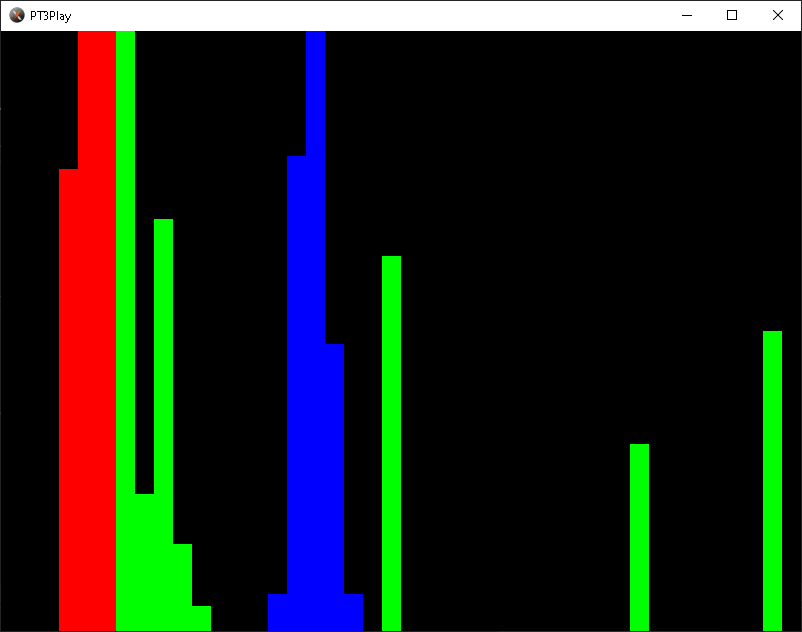

PT3Play is a Pro Tracker 3.x format AY-3-8910 chip tune music player ported to C#.
Broadcom PatchRAM DFU (Device Firmware Upgrade) utility for macOS.
Based on original dfu-tool & dfu-programmer for Linux and BrcmPatchRAM for macOS.
Supports the Intel HEX dfu file format (including zlib compressed).
NOTE: You will need to disable your bluetooth device for this tool to be able to access it.
patchram <vendorId hex> <productId hex> <firmware.dfu>
./patchram 0x0a5c 0x216f ./BCM20702A1_001.002.014.1443.1572_v5668.zhx
This uses the USB DFU specification (http://www.usb.org/developers/docs/devclass_docs/DFU_1.1.pdf), to upload firmware into a DFU device.
Flashing firmware is dangerous and could render your device non-functional. Use this at your own risk!
We've released a series of z88dk demo's for the ZX Spectrum Next. These are designed to complement Stefan Bylund's great series of examples.
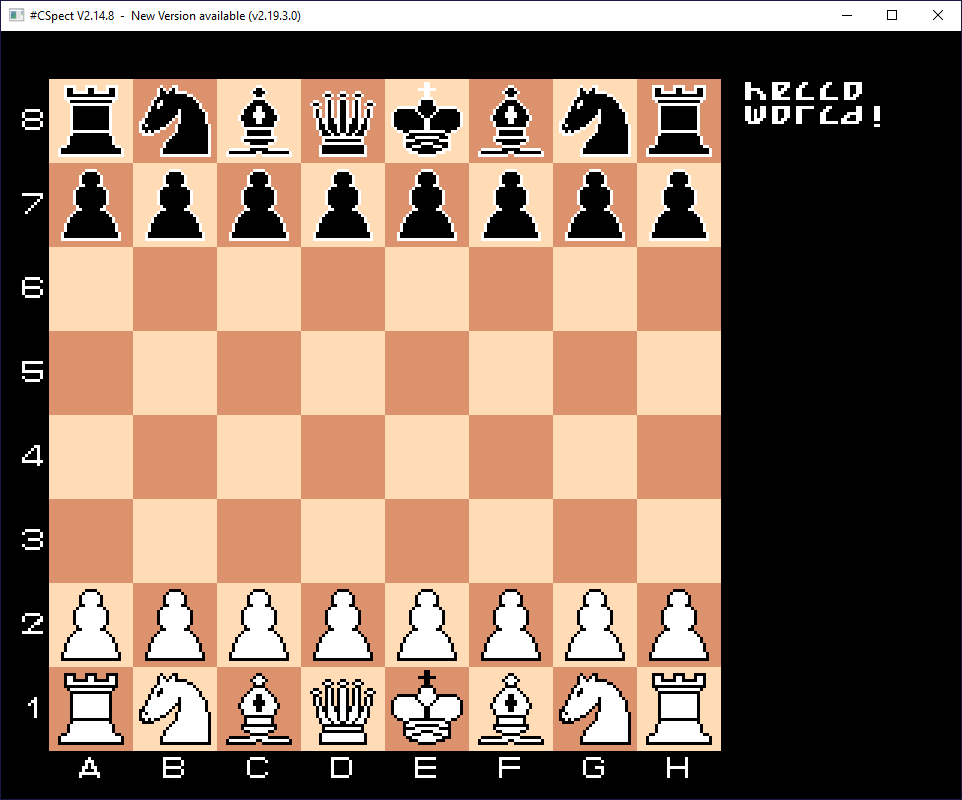
Demonstrates relative sprites for the ZX Spectrum Next.
https://www.baker76.com/zxnext-chess/
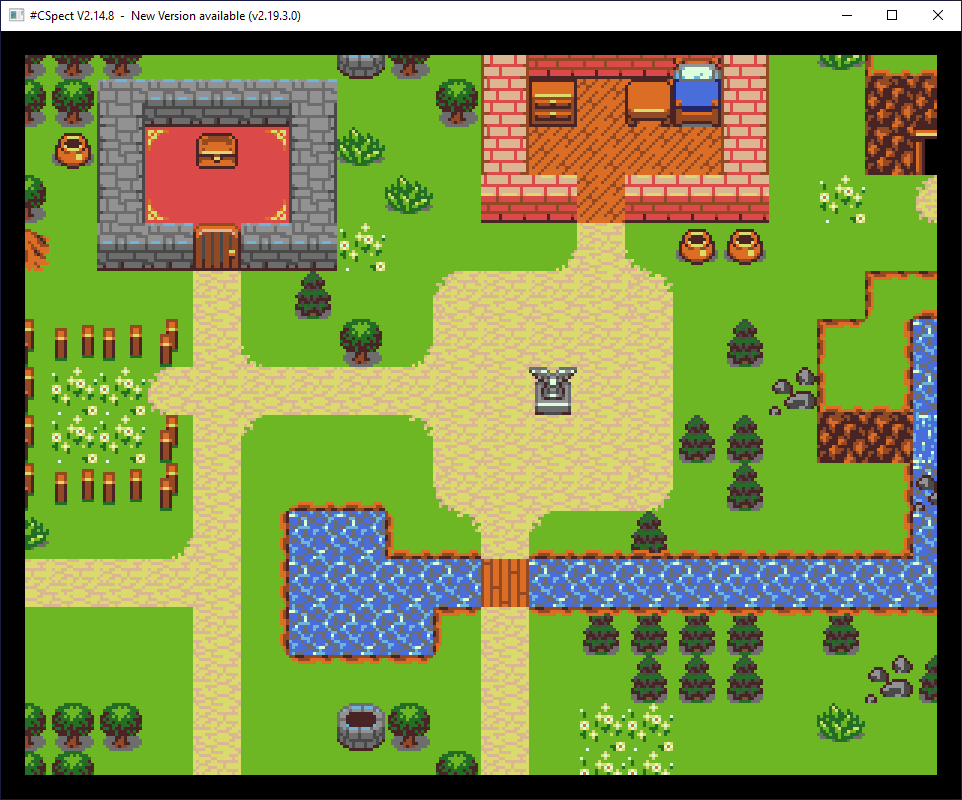
Tilemap demo for the ZX Spectrum Next.
https://www.baker76.com/zxnext-tilemap/
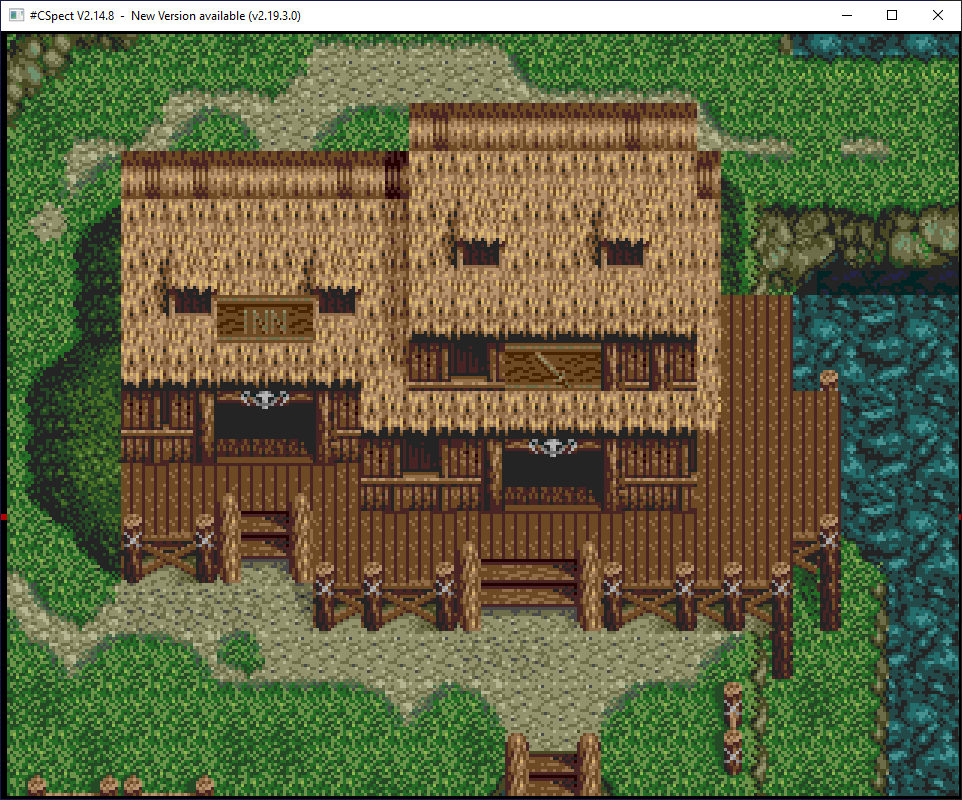
Example using Layer2 tilemap rendering for the ZX Spectrum Next.
https://www.baker76.com/zxnext-layer2-tilemap/
Sound effects demo for the ZX Spectrum Next.
https://www.baker76.com/zxnext-sfx/
Example showing dual Vortex Tracker II player for the ZX Spectrum Next.
https://www.baker76.com/zxnext-dual-vt-sound/
Based on David Saphier (em00k's) Multi Sample Engine in z80 for the ZX Spectrum Next.
https://www.baker76.com/zxnext-dma-sample/
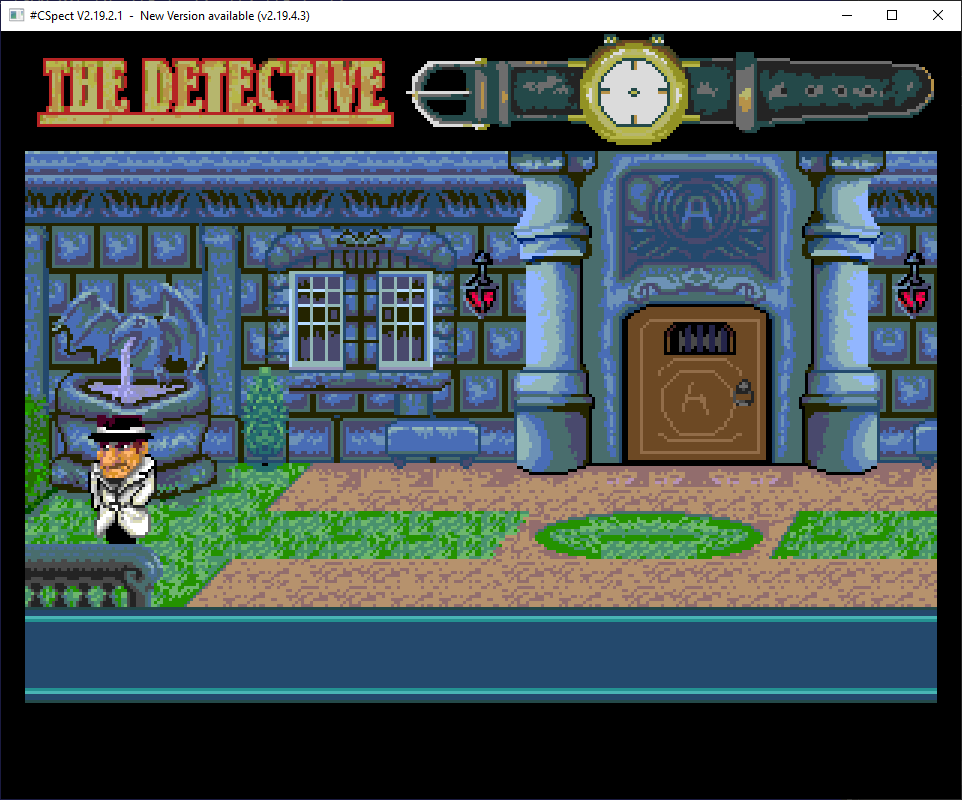
I currently have dual VT music, sfx, layer2 scrolling (with rotated tile support), relative sprite rendering, and tilemode overlay for the foreground.
While I haven’t been able to hack back the AMD CBS menu into the BIOS I have discovered some potential solutions. I’ll share my findings in this post so you can give it a try.
There are two modules in the BIOS containing the AMD CBS menu. They’re both called AmdSetup and are located in CbsSetupDxeRV and CbsSetupDxeRN. The only one that contains ACS Enable is CbsSetupDxeRV and it does not appear to be included with the BIOS when it’s flashed.
The only options we have access to are located in the NBIO Common Options sub menu in CbsSetupDxeRN. Please note these offsets only apply to X3MSTX_1.70.
IOMMU                Name=AmdSetup VarOffset=0xC9   Disabled=0x0, Enabled=0x1, Auto=0xF (default)
PCIe ARI Support     Name=AmdSetup VarOffset=0x14D  Disabled=0x0, Enabled=0x1, Auto=0xF (default)
PCIe ARI Enumeration Name=AmdSetup VarOffset=0x1A7  Disabled=0x0, Enabled=0x1, Auto=0xF (default)
We can edit the UEFI variables using a tool called RU.efi:
$ sudo grub-install --boot-directory=/media/username/GRUB --efi-directory=/media/username/GRUB --removable --target=x86_64-efi b. Windows (Where G: is your USB drive):
> grub-install.exe --boot-directory=G:\ --efi-directory=G: --removable --target=x86_64-efi grub> ls -l
grub> ls -l (hd0)/
grub> chainloader (hd0)/RuSmiPi.efi
grub> chainloader (hd0)/RU.efi
grub> bootAlt-= to show a list of EFI modules
Press <enter> to edit EFI variable offsets
Ctrl-PgUp to go up a page of variables
Ctrl-PgDn to go down a page of variables
F12 for screenshot
Ctrl-W to write changes
Alt-Q Quit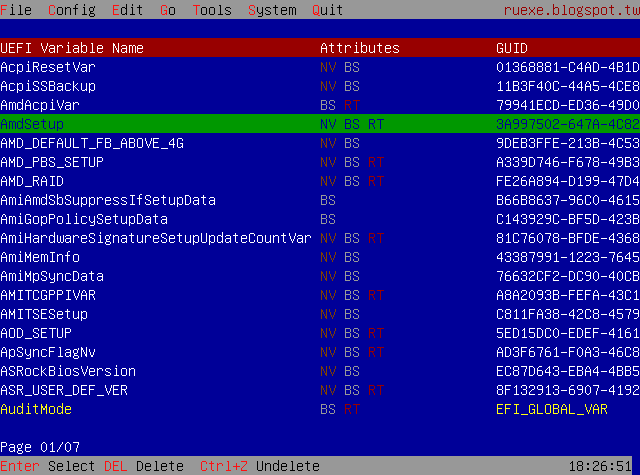
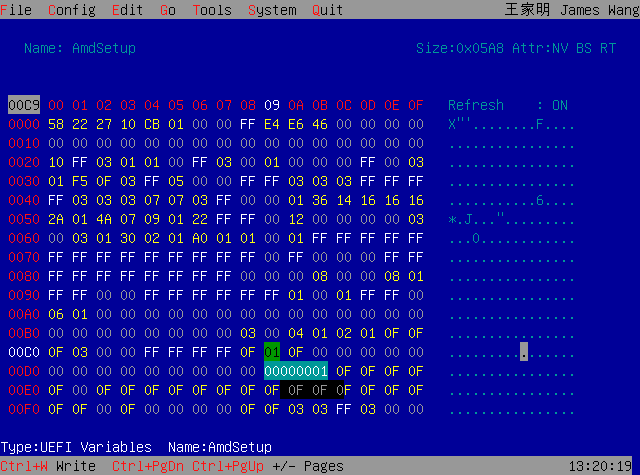
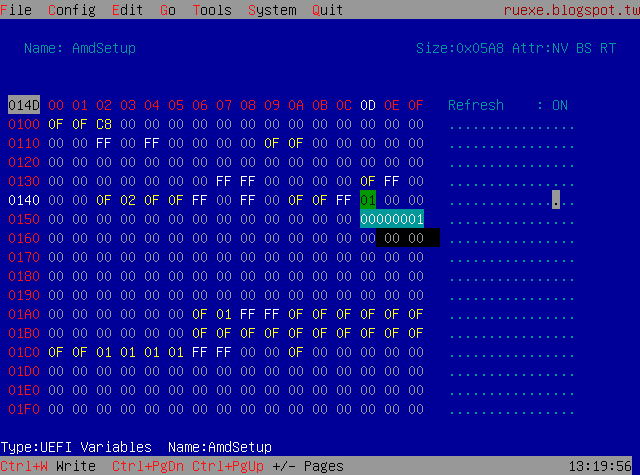
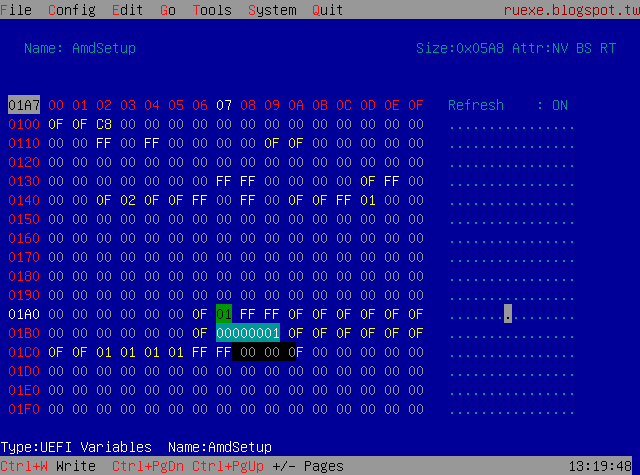
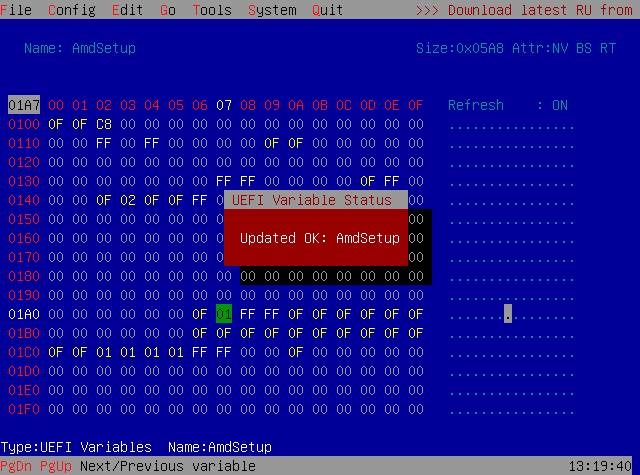
Unfortunately after these changes I see no changes in the IOMMU grouping. I don’t know if this is a limitation of the X300, my 4750G or the fact we don’t have access to the “ACS Enable” option. I’m getting a 5700G tomorrow and will be installing it to see if the extra PCIe lanes changes anything.
IOMMU Group 0:
    00:01.0 Host bridge [0600]: Advanced Micro Devices, Inc. [AMD] Renoir PCIe Dummy Host Bridge [1022:1632]
    00:01.1 PCI bridge [0604]: Advanced Micro Devices, Inc. [AMD] Renoir PCIe GPP Bridge [1022:1633]
    01:00.0 Non-Volatile memory controller [0108]: Samsung Electronics Co Ltd NVMe SSD Controller SM981/PM981/PM983 [144d:a808]
IOMMU Group 1:
    00:02.0 Host bridge [0600]: Advanced Micro Devices, Inc. [AMD] Renoir PCIe Dummy Host Bridge [1022:1632]
    00:02.1 PCI bridge [0604]: Advanced Micro Devices, Inc. [AMD] Renoir PCIe GPP Bridge [1022:1634]
    00:02.3 PCI bridge [0604]: Advanced Micro Devices, Inc. [AMD] Renoir PCIe GPP Bridge [1022:1634]
    00:02.4 PCI bridge [0604]: Advanced Micro Devices, Inc. [AMD] Renoir PCIe GPP Bridge [1022:1634]
    02:00.0 Non-Volatile memory controller [0108]: Samsung Electronics Co Ltd NVMe SSD Controller SM981/PM981/PM983 [144d:a808]
    03:00.0 Ethernet controller [0200]: Realtek Semiconductor Co., Ltd. RTL8111/8168/8411 PCI Express Gigabit Ethernet Controller [10ec:8168] (rev 15)
    04:00.0 Network controller [0280]: Intel Corporation Wi-Fi 6 AX200 [8086:2723] (rev 1a)
IOMMU Group 2:
    00:08.0 Host bridge [0600]: Advanced Micro Devices, Inc. [AMD] Renoir PCIe Dummy Host Bridge [1022:1632]
    00:08.1 PCI bridge [0604]: Advanced Micro Devices, Inc. [AMD] Renoir Internal PCIe GPP Bridge to Bus [1022:1635]
    00:08.2 PCI bridge [0604]: Advanced Micro Devices, Inc. [AMD] Renoir Internal PCIe GPP Bridge to Bus [1022:1635]
    05:00.0 VGA compatible controller [0300]: Advanced Micro Devices, Inc. [AMD/ATI] Renoir [1002:1636] (rev d8)
    05:00.1 Audio device [0403]: Advanced Micro Devices, Inc. [AMD/ATI] Device [1002:1637]
    05:00.2 Encryption controller [1080]: Advanced Micro Devices, Inc. [AMD] Family 17h (Models 10h-1fh) Platform Security Processor [1022:15df]
    05:00.3 USB controller [0c03]: Advanced Micro Devices, Inc. [AMD] Renoir USB 3.1 [1022:1639]
    05:00.4 USB controller [0c03]: Advanced Micro Devices, Inc. [AMD] Renoir USB 3.1 [1022:1639]
    05:00.6 Audio device [0403]: Advanced Micro Devices, Inc. [AMD] Family 17h (Models 10h-1fh) HD Audio Controller [1022:15e3]
    06:00.0 SATA controller [0106]: Advanced Micro Devices, Inc. [AMD] FCH SATA Controller [AHCI mode] [1022:7901] (rev 81)
IOMMU Group 3:
    00:14.0 SMBus [0c05]: Advanced Micro Devices, Inc. [AMD] FCH SMBus Controller [1022:790b] (rev 51)
    00:14.3 ISA bridge [0601]: Advanced Micro Devices, Inc. [AMD] FCH LPC Bridge [1022:790e] (rev 51)
IOMMU Group 4:
    00:18.0 Host bridge [0600]: Advanced Micro Devices, Inc. [AMD] Renoir Device 24: Function 0 [1022:1448]
    00:18.1 Host bridge [0600]: Advanced Micro Devices, Inc. [AMD] Renoir Device 24: Function 1 [1022:1449]
    00:18.2 Host bridge [0600]: Advanced Micro Devices, Inc. [AMD] Renoir Device 24: Function 2 [1022:144a]
    00:18.3 Host bridge [0600]: Advanced Micro Devices, Inc. [AMD] Renoir Device 24: Function 3 [1022:144b]
    00:18.4 Host bridge [0600]: Advanced Micro Devices, Inc. [AMD] Renoir Device 24: Function 4 [1022:144c]
    00:18.5 Host bridge [0600]: Advanced Micro Devices, Inc. [AMD] Renoir Device 24: Function 5 [1022:144d]
    00:18.6 Host bridge [0600]: Advanced Micro Devices, Inc. [AMD] Renoir Device 24: Function 6 [1022:144e]
    00:18.7 Host bridge [0600]: Advanced Micro Devices, Inc. [AMD] Renoir Device 24: Function 7 [1022:144f]
X3MSTX_1.70_CbsSetupDxeRN IFR.txt (229 KB)
X3MSTX_1.70_CbsSetupDxeRV IFR.txt (224 KB)
X3MSTX_1.70_Setup IFR.txt (442 KB)
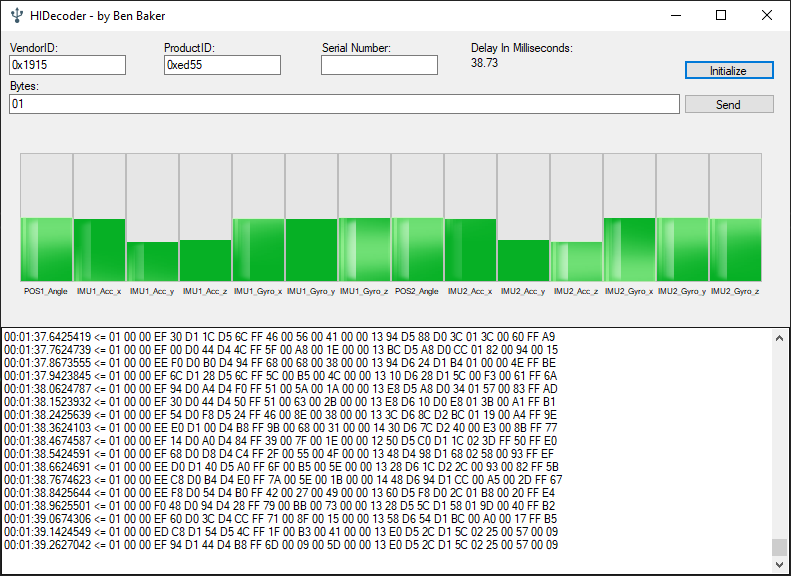
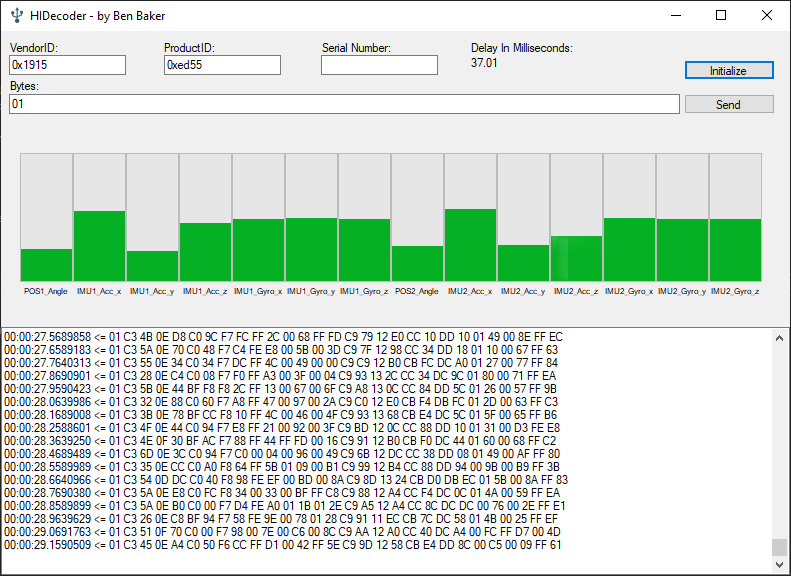
Here's a little app I wrote that captures HID data from the AgileVR / AgilePhysio device. The firmware combines two nRF52832 SoC Bluetooth LE data streams containing gyroscope, accelerometer and positional data into a single data stream using HID over GATT. The firmware will boot based on a DIP switch so it knows if it's a left or right device.
Here’s a compiled version of flashrom with Ryzen support (https://github.com/tolga9009/flashrom/tree/ryzen 125). It includes the libpci library so it supports the -p internal flag. It’s possible to compile libpci on Windows using MinGW 11 and DJGPP 5 so I’ve also attached the "libpci-libgetopt" folder with the pre-compiled libraries included so you can compile your own version easily.
Use this to compile it from MSYS:
make CC=i586-pc-msdosdjgpp-gcc STRIP=i586-pc-msdosdjgpp-strip LIBS_BASE=../libpci-libgetopt CONFIG_ENABLE_LIBUSB1_PROGRAMMERS=no I've also included a version of Rufus that will create an MS-DOS boot disk. NOTE: You may need to enable the Compatibility Support Module (CSM) in your BIOS to boot it.
To backup your BIOS:
flashrom -p internal -r BACKUP.ROM To write your own custom BIOS:
flashrom -p internal -w MOD.ROM flashrom.zip (279 KB)
libpci-libgetopt.zip (185 KB)
Rufus_3.8.1579_Win10_MSDOS-Mod.zip (1.91 MB)
I ended up finding the source code to this utility and have made several updates:
You can download my updated version and source code from:
SimpleHIDWrite3.zip
HIDKomponente.zip
Thanks to the original author of this tool.
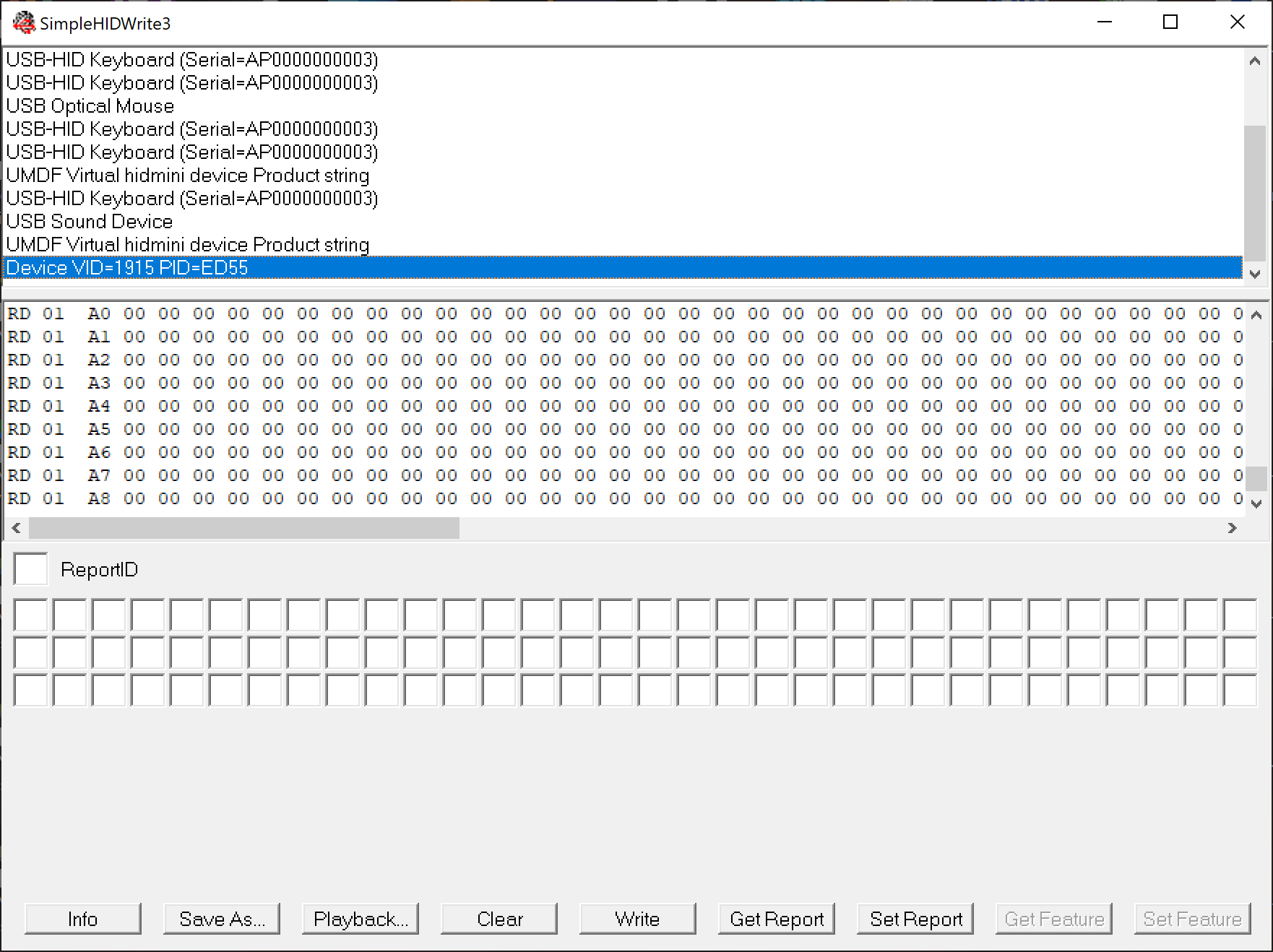
EDIT: Source code is now available on GitHub here
Disclaimer: Do this at your OWN RISK! I will not be held responsible for anyone bricking their machine!
I made the mods based on @Lost_N_BIOS's post here and by following the How-2-Rip-It-Open-Yourself guide here.
This patch has been confirmed to work with both 15X v8 and 15W v8 models. Make sure you have your Aero's BIOS flashed to version FB0A using the official release on the Gigabyte website here before attempting the following.
First you must run command prompt (as Administrator) and run "FPTw.exe -bios -d biosreg.bin". You can get FPTw.exe from Intel CSME System Tools v12 r18 (located in the "Flash Programming Tool" folder).
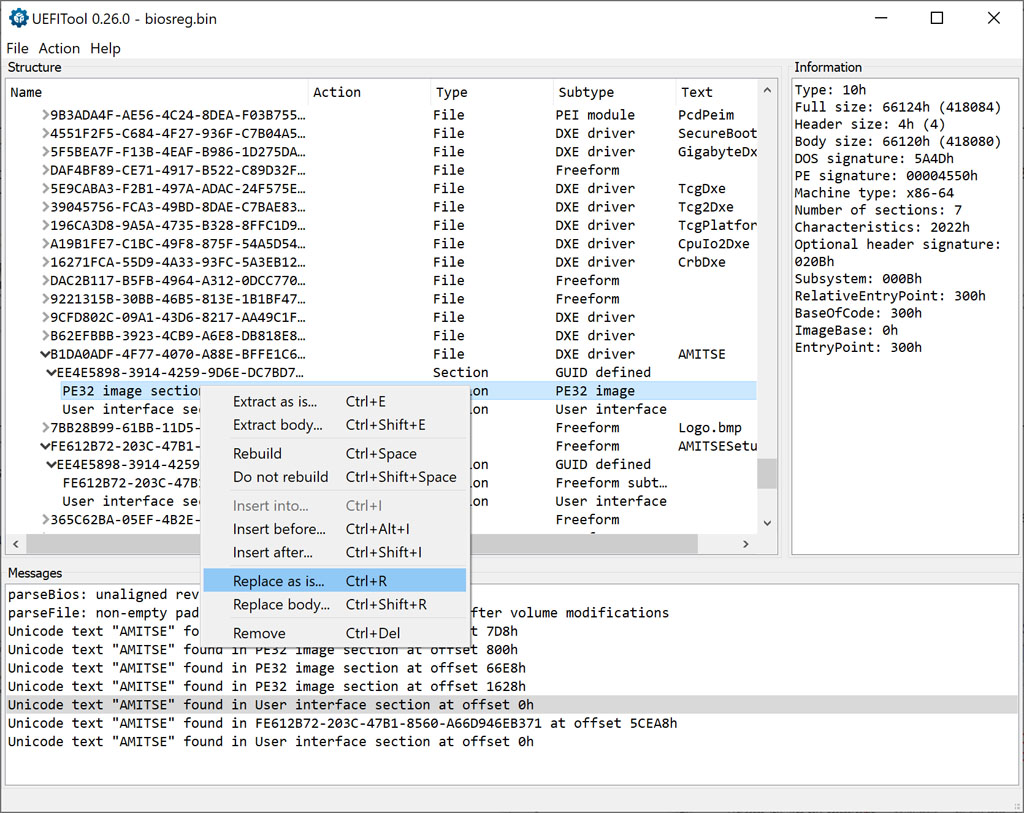
Next you will need to run UEFITool 0.26.0 and open biosreg.bin. Select File->Search... Text tab and enter AMITSE. A list of search results will show at the bottom. Double click on "Unicode text "AMITSE" found in User interface section at offset 0h". Right click on the "PE32 image section" and select "Replace as is...". Browse to the (unzipped) file attached (Section_PE32_image_AMITSE_AMITSE.zip). File->Save image file... and call it biosmod.bin.
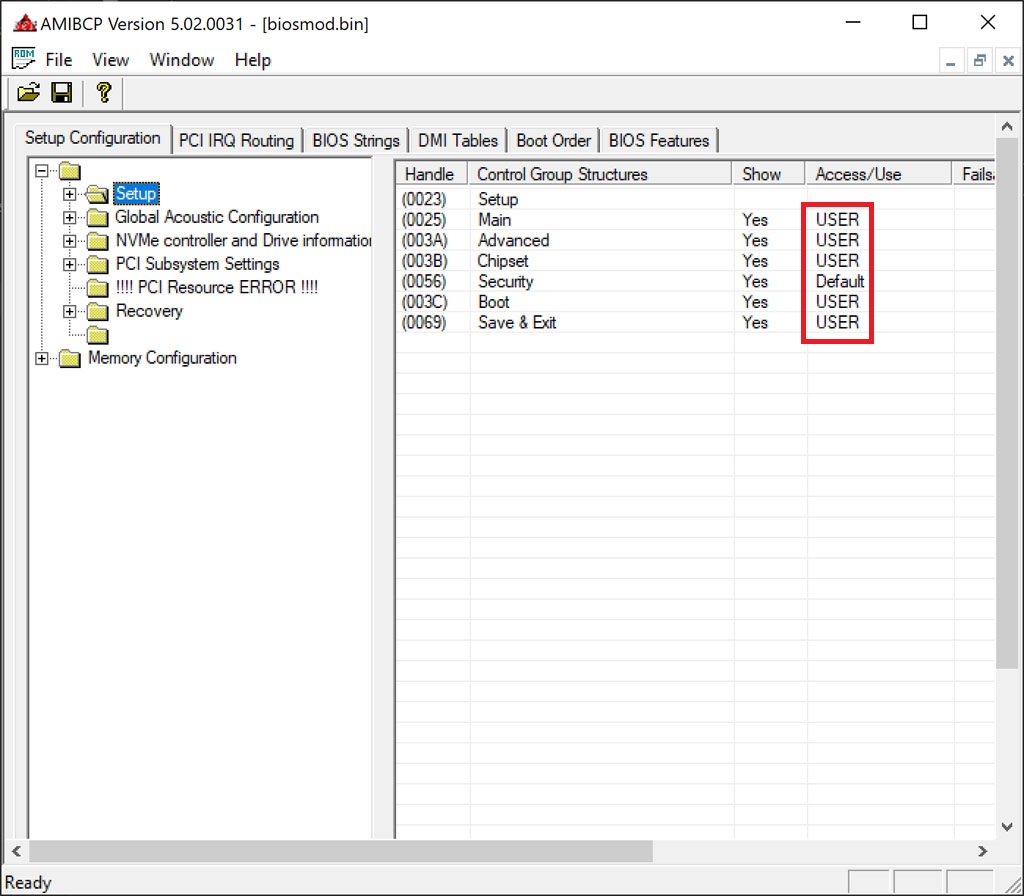
Then you need to run AMIBCP 5.02.0031 and open biosmod.bin to set the menu access to USER like so:
Once you File->Save run "FPTw.exe -bios -f biosmod.bin".
If you get the following error:
Quote:Error 167: Protected Range Registers are currently set by BIOS, preventing flash access.
This is caused by the BIOS Lock variable set to 0x01 (Enabled):
Code:
BIOS Lock, VarStoreInfo (VarOffset/VarName): 0xA12
How to set the BIOS Lock variable to 0x00 (Disabled):
Attempt to write the modified BIOS again using FPTw.exe.
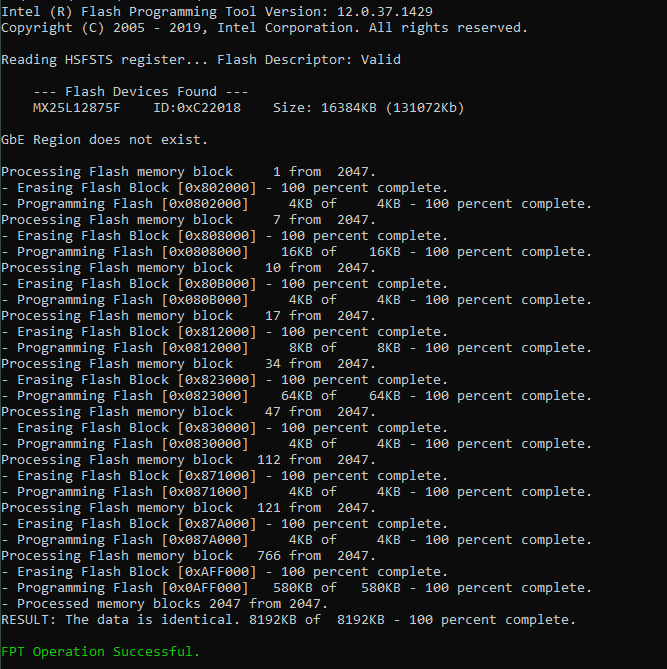
If successful this time run "FPTw.exe -greset" to reboot.
Press F2 to enter BIOS you should (hopefully) be greeted with some extra menus...
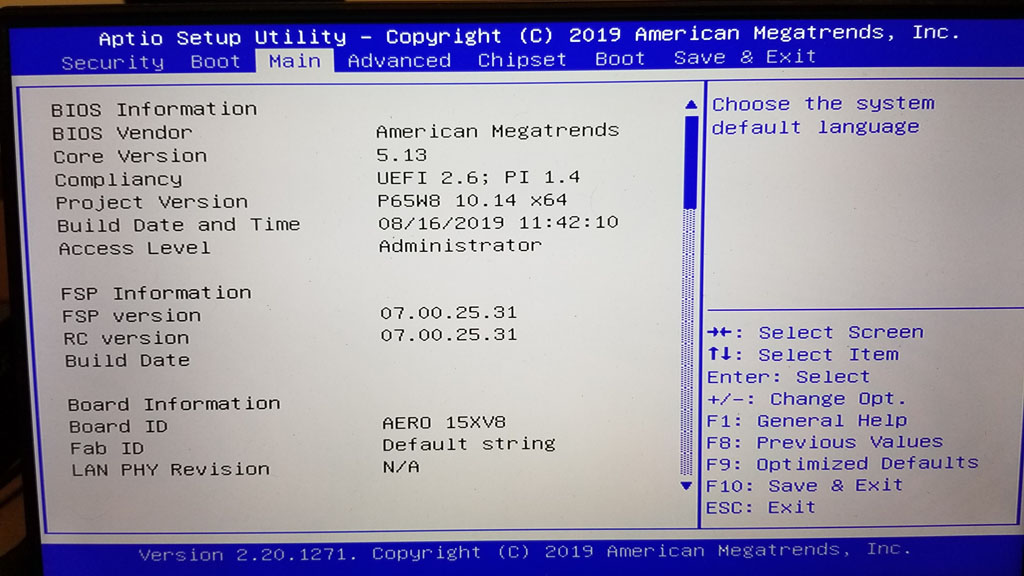
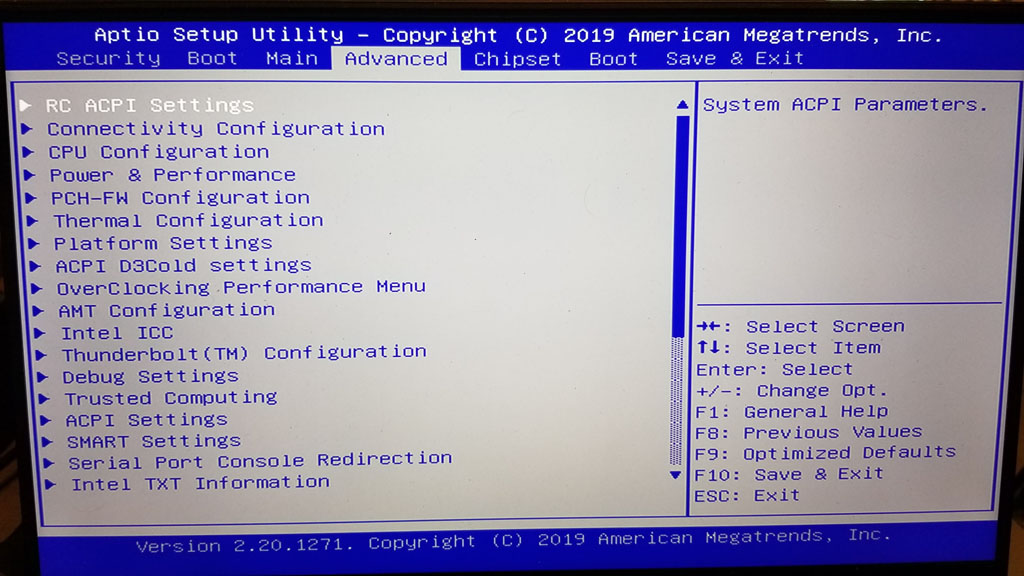
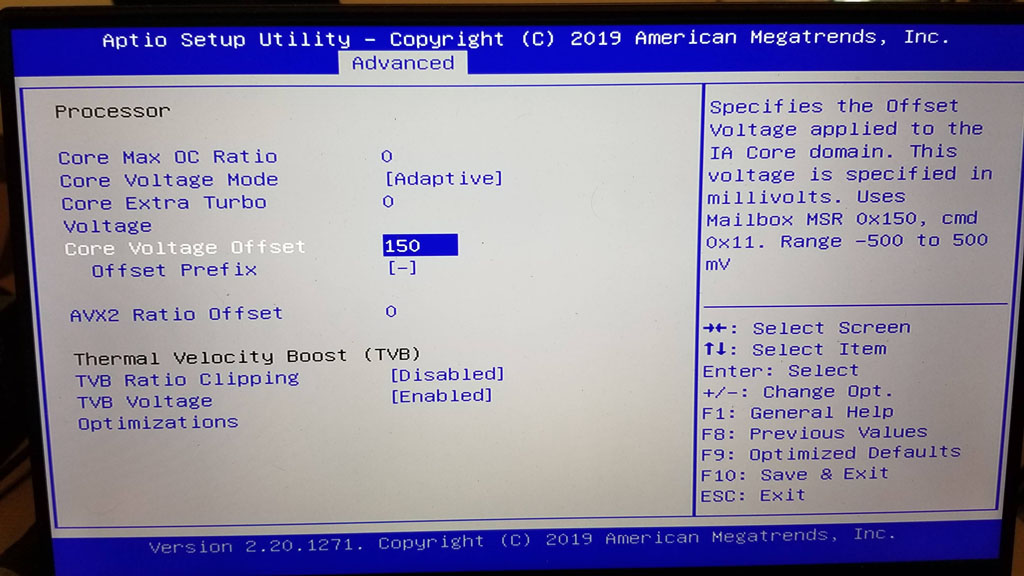
Big thanks to @Lost_N_BIOS!
Menu bar software for macOS 64-bit to support ActionStar chip based KVM hardware.
Vendor ID 0x2101 / 0x0835 is ActionStar (www.actionstar.com.tw)
2101:1403, 2101:1404, 2101:1406, 2101:1407, 2101:1411, 0835:1403, 0835:1404, 0835:1406, 0835:1407, 0835:1411